Build and send beautiful, on-brand, revenue-driving emails in minutes.
Trusted by teams at

 THE BROWSERCOMPANY



“Emails used to take me hours. Now they’re done in minutes.”
LiveFlow moved its lifecycle marketing off Customer.io and now runs it for 400,000 contacts on Brew.
Josh Thomas
Chief of Staff, LiveFlow

“Our first email on Brew got a 60% open rate. Our old platform averaged 30%.”
RedSeed moved off Mailchimp. The first send on Brew doubled the open rate they were used to.
Alice Mullins
Marketing Manager, RedSeed

“One newsletter a month used to be all I could manage. Now I run a full lifecycle program.”
Cory is Harmonya’s only marketer and spends about 5% of his time on email. Open and click rates have more than doubled since moving to Brew on HubSpot.
Cory Nelson
Director of Marketing, Harmonya
Paste your URL and Brew learns your voice, colors, type, layouts, and imagery. Every email starts there, and it improves as you approve work.
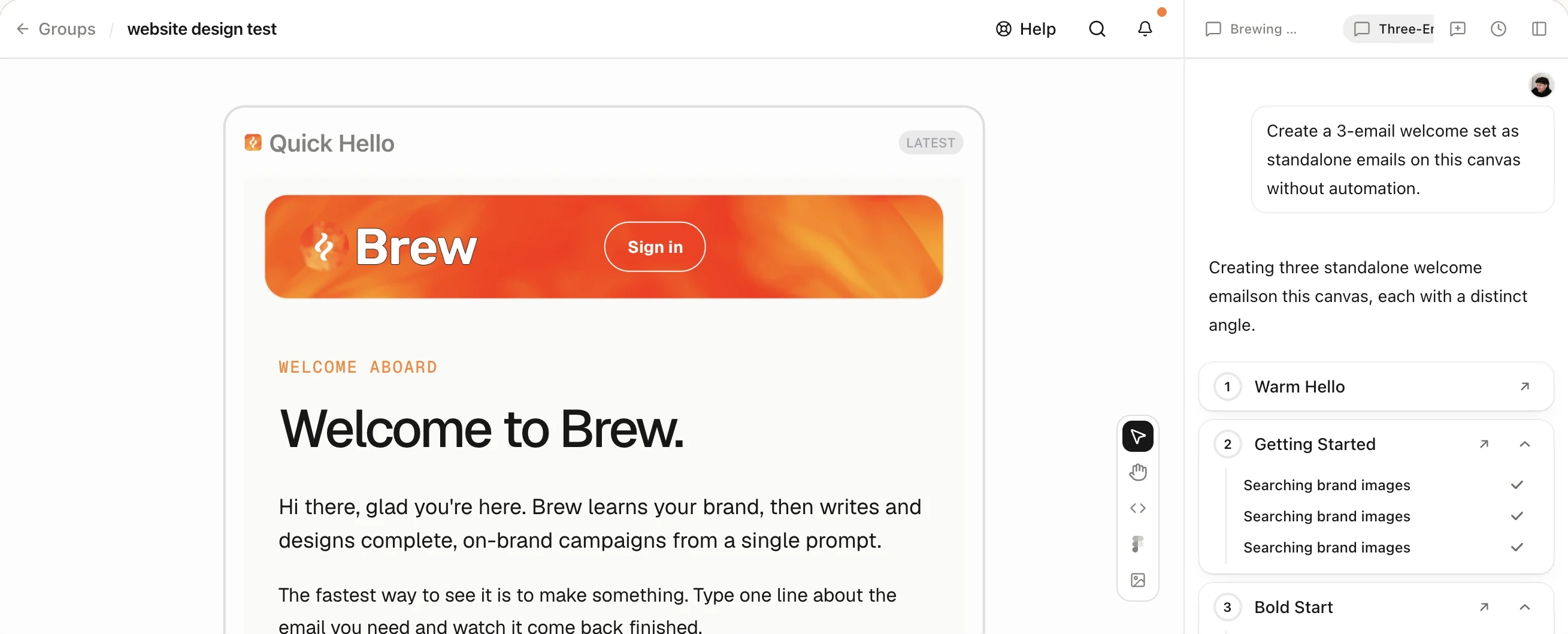
Describe an email and it appears on the canvas, on brand. Edit by hand or in chat, or start from a template, Figma, HTML, or a forwarded email.
Send from your own domain now, on a schedule, or at each contact’s best open time. Audiences, analytics, and all your brands live in the same account.
Trigger from Clerk, Stripe, Shopify, or your own events, and Brew builds the emails, the waits, and the branches. Our own welcome flow runs this way.
Over MCP, create and edit emails, manage audiences, send and schedule with send-time optimization, build and run automations, and read analytics.
Ask Brew how an email will land before you send. It checks domain health, tests inbox placement, and previews Gmail, Outlook, and Apple Mail.
Healthy

We're here to help! Feel free to schedule a call.
Can't find what you're looking for? Contact us at +1-(332)-203-2145 or support@brew.new.
By what you use, not by how many contacts you have. Each plan includes a monthly amount of AI credits (what Brew’s AI spends making and editing emails) and email sends. There is no limit on contacts or team members, and every plan includes unlimited sending domains.
Yes. Brew sends campaigns and automations from your own domain, keeps your contacts and audiences, handles unsubscribes, bounces, and complaints, and reports deliveries, opens, and clicks.
If you’d rather keep sending from Klaviyo, Mailchimp, HubSpot, Braze, or another tool, design in Brew and export the finished emails there.
Export your contacts as a CSV and import it into Brew. Columns become contact fields you can filter on, and the import previews who is opted out before it runs. Import your unsubscribe list too, so nobody who opted out elsewhere hears from you again.
Bring the emails you already send (HTML, Figma, a screenshot, or a forwarded email) and rebuild your automations in Brew. Verify your sending domain and you can send. We help with all of this on a call if you’d like.
Paste your website’s URL and Brew reads the site: your logos, colors, fonts, images, and the way you write. It writes what it finds into two brand files, email-design.md and image-style.md, and reads them every time it makes an email.
You can edit both files at any time. Brand guidelines you upload take priority over what Brew found on your site.
Yes. Paste or upload HTML, MJML, React Email code, or an .eml file, import a frame from Figma, or forward one to hello@email.brew.new. These imports are free. You can also recreate an email from a screenshot, which uses AI credits because Brew’s AI rebuilds it.
Each one becomes an email you can keep editing in Brew.
Every verified domain gets a health score with concrete recommendations, and new domains can ramp up gradually, starting with a share of the audience and adding more each day. You can run inbox placement tests to see where a campaign lands at Gmail, Microsoft, Yahoo, and Apple, and preview how it renders in each email client.
Brew is for people who opted in: newsletters, lifecycle, and transactional email. It is not for cold outreach.
Yes. Each brand gets its own brand files, sending domains, contacts, and emails.
Team members are free on every plan. Admins manage brands, billing, and members, and you can limit which brands each person can see.


