
151 real email sequences with the day each message landed. Browse them, remix one into a draft automation, or read them all from code over the API and MCP.

Most template galleries show you one email at a time. That is the least useful unit. A single welcome email does not show the timing or context around it. The sequence adds that context, although seeing a sequence does not prove that it performed well.
So we kept captured sequences. A flow in Brew shows the emails we observed after a signup or newsletter subscription, in order, with the day each one landed. Capture limits mean it may not contain the whole sequence. At the September 17 launch, the gallery contained 151 flows. The counts below describe that launch snapshot; the live catalog can change.
GET /v1/flows and the list_flows MCP tool return the same records, so an agent can study all 151 sequences without a human clicking anything.emailId you can pass straight to create_email as referenceEmailId.Zapier's post-signup sequence runs eight emails over 10.7 days:
| Day | Subject |
|---|---|
| 0 | Welcome aboard 👋 | Let's make some magic with AI |
| 1 | Why you should ditch spreadsheets for Tables |
| 2 | Build your first Zap workflow with Copilot ⚡ |
| 3 | What engineers are automating this week |
| 5 | Put AI to work for you |
| 9 | Go beyond workflows 🚀 |
| 10 | Stuck? Or need automation ideas? |
| 10.7 | Your Zapier trial ends in three days ⏲️ |
Read the days, not just the subjects. Four emails land on consecutive mornings, then the gap stretches to two days, then four. The "stuck?" email arrives on day 10 and the trial-expiry email follows seventeen hours later. Somebody decided that the last useful thing before a paywall is an offer of help, and that the two should almost touch.
You cannot see that in a screenshot of one email.
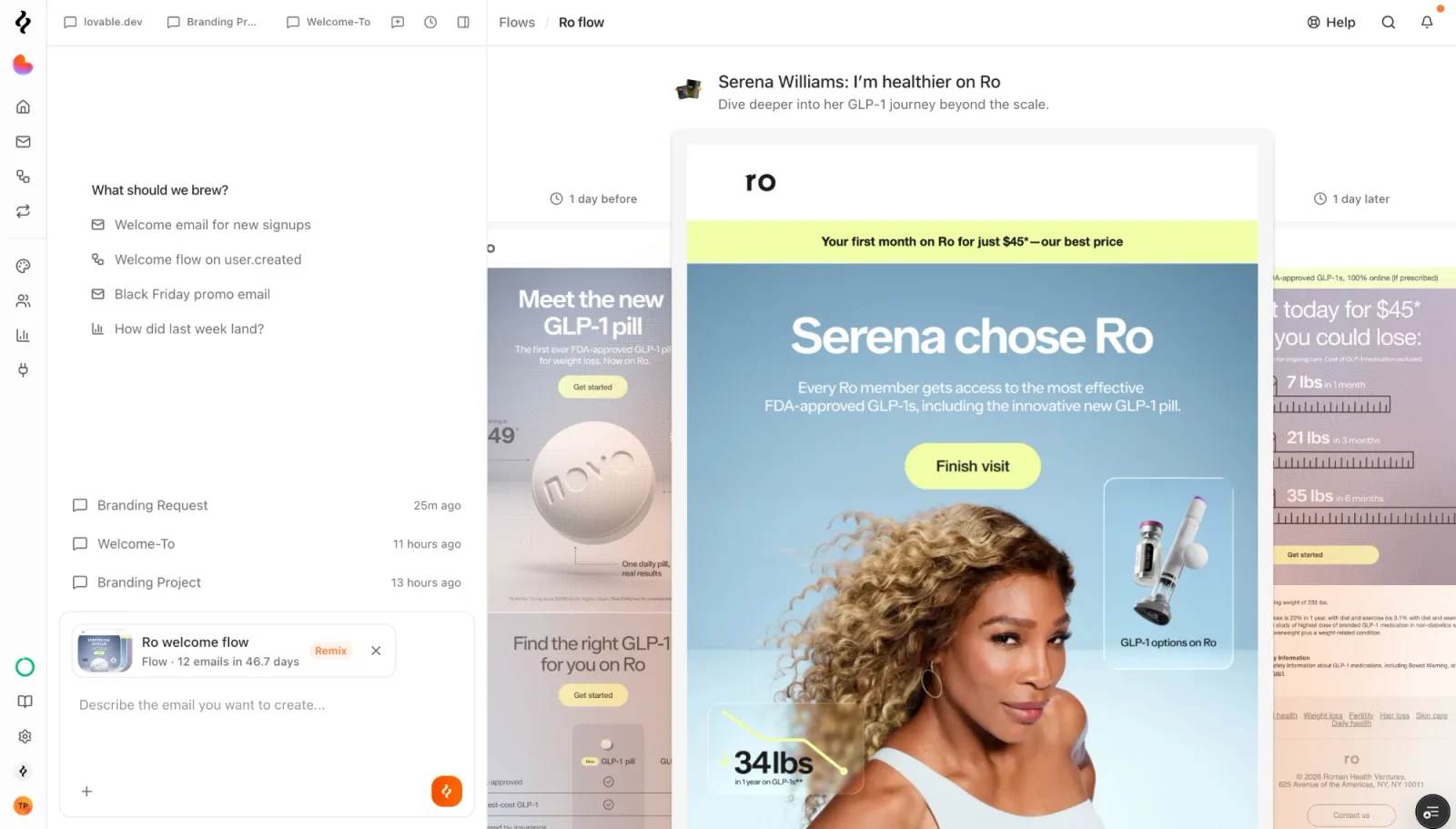
The viewer opens on the first email, which has a wait only after it. Step into the middle, as in the Ro sequence above, and the gap shows on both sides. Ro's welcome flow is a slower shape than Zapier's, 12 emails over 46.7 days, and the gaps say so before you read a single subject line.
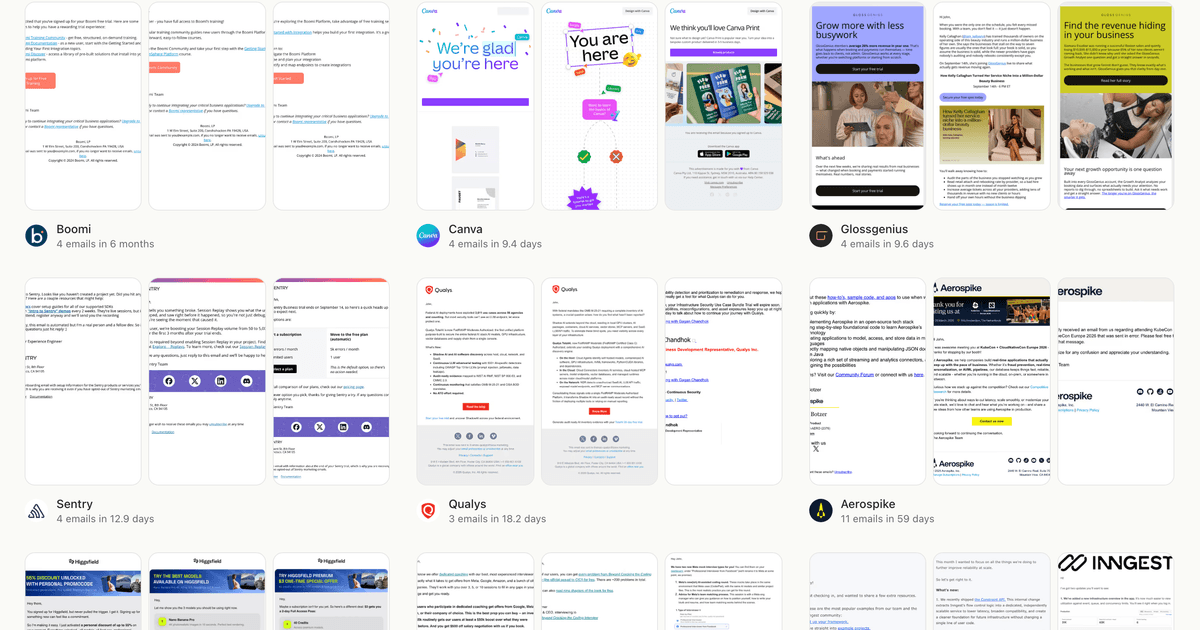
Each step carries the subject, the preview text, the day it landed, the wait since the previous send, a category, and a preview image. Ask for it and you get the rendered HTML too.
The corpus is one sequence per brand, so 151 flows means 151 companies:
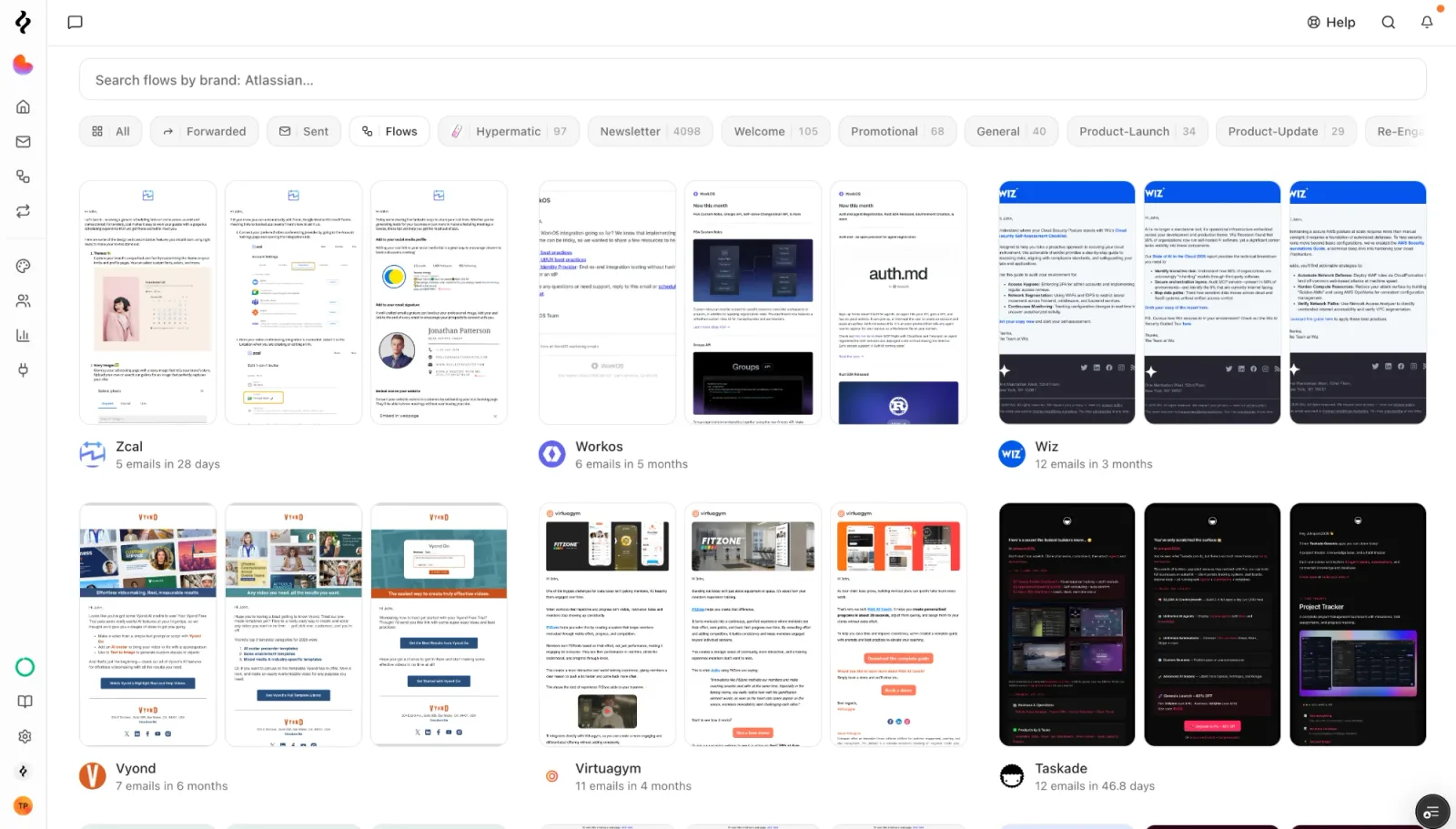
That sits alongside the single-design gallery, which holds another 4,098 newsletters, 105 welcome emails and 68 promotions. Flows are the part that tells you the order.
Remixing is the part people expect to be a copy. It isn't.
Brew builds the automation graph first: your trigger, then the source flow's gaps as wait nodes, then one send node per step. That half is arithmetic, not generation. Nobody asks a model to guess that the fourth email goes out on day three.
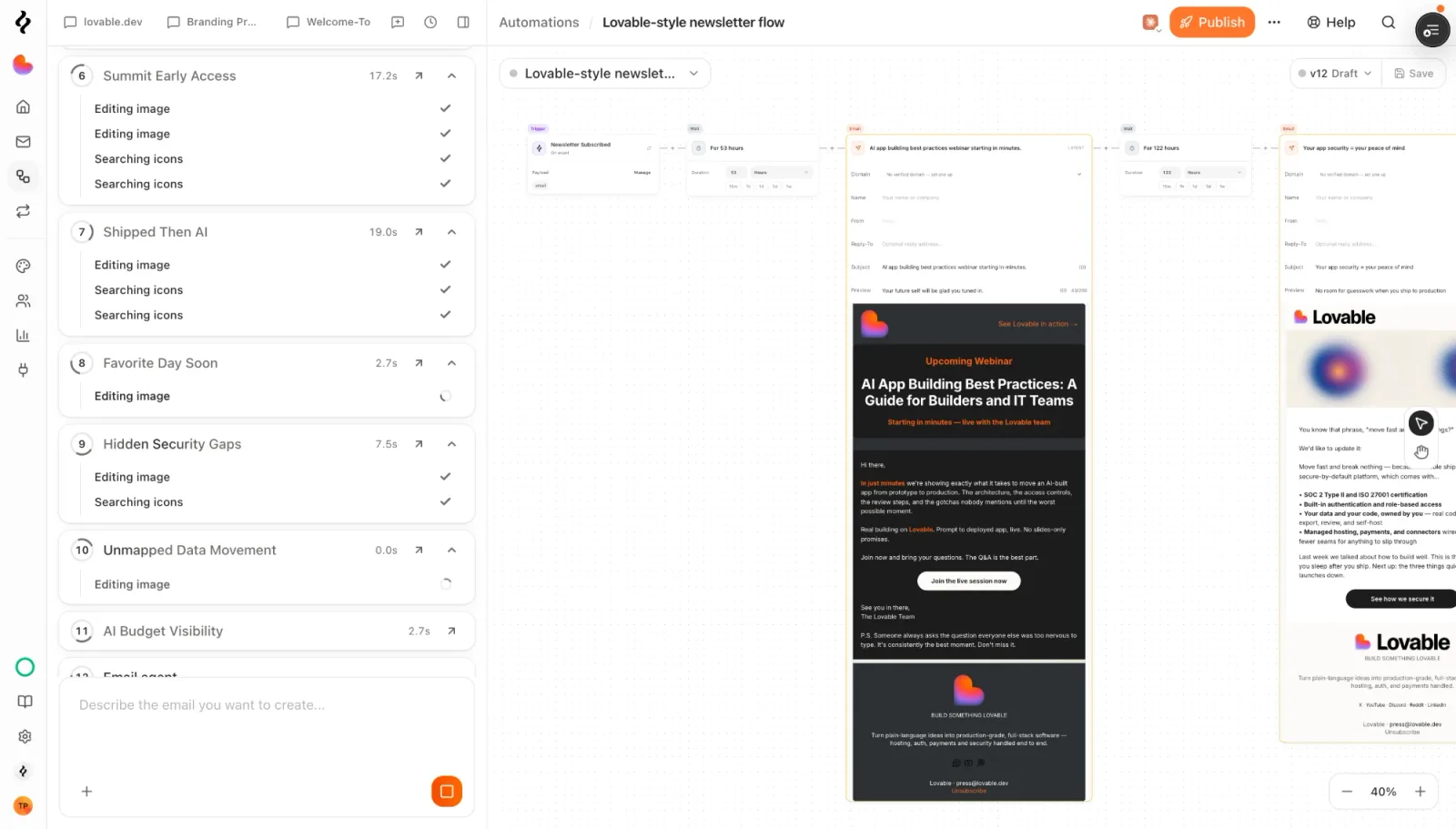
Those wait nodes read 53 hours and 122 hours because that is what the source brand sent, rounded to the nearest hour. A whole-day gap stays a whole day, and anything under an hour becomes one. Only the emails are generated, and they are generated in parallel, each one against your brand. Your colors, your fonts, your voice, your product. Each step also gets a brief describing its job in the sequence and what sits on either side of it, because the subagents writing those emails cannot see each other's work and would otherwise produce eight unrelated messages on a shared schedule.
You get a draft automation with the pacing of a sequence a real company has already run, and copy that belongs to you. You still have to read it. The rebrand is good, not finished.
Every flow is available over the REST API and over MCP, so an agent can read the corpus directly.
# First page, newest first
curl "https://brew.new/api/v1/flows" \
  -H "Authorization: Bearer $BREW_API_KEY"

# One sequence, every step
curl "https://brew.new/api/v1/flows/zapier.com" \
  -H "Authorization: Bearer $BREW_API_KEY"
Filter by brand, category, or type (signup or newsletter). Sort by emails for the sequences with the most emails, span for the ones that run over the most days, or remixes for what other people found worth copying. Pass semantic to search by what a sequence is about, which is how you find a trial-expiry win-back without knowing which brand wrote one.
The same read is a tool and a resource on the Brew MCP server:
list_flows                      # the list, same filters and sorts
get_flow { slug: "zapier.com" } # one sequence with every step
brew://flows                    # @-mentionable in a chat
REST and MCP read the same public catalog. Flows are organization-wide, so these reads take no brand. For list pagination, pass the returned pagination.cursor as the next request's cursor until it is null. A single list request does not return the entire catalog, but its total counts every flow the query matches.
An agent can inspect the sequence before choosing a reference.
Which signup flows put a discount in the first email, and which wait until the trial is nearly over? What do developer tools send on day two? How long do newsletter welcome sequences run before they stop? How many sequences open with a question rather than a benefit? The records let an agent inspect those questions by reading steps[]. Subject and content analysis still require interpretation; the API does not expose a filter for every question.
The handoff that makes this usable reference material is the emailId on each step. It is the same reference the template gallery uses, and it is exactly what create_email takes as referenceEmailId. So an agent reads the arc, picks the step that matters, and hands that one email to the design tool:
get_flow { slug: "zapier.com" }
  → steps[4].emailId = "pt1_k97hmahabyjrp1yfmga8m1rhah8e572q"

create_email {
  referenceEmailId: "pt1_k97hmahabyjrp1yfmga8m1rhah8e572q",
  prompt: "day-5 activation email for our API product"
}
Study the arc, pull the specific email, build your version. No copy-paste in between.
Capture keeps at most twelve emails per flow and cuts the tail, so emailCount: 12 means twelve or more were sent, not exactly twelve. That is the 59 flows above.
Rendered email is bulky. Asking for HTML over MCP gets you the first step or two before the response fills up, and the rest arrive without it. The summary says how many were kept. The REST route has no such cap, so read the flow there when you want every body: GET /v1/flows/zapier.com?include=html.
Open the gallery and read three sequences in your own category before you write anything. Then remix the one whose pacing you would defend to your own team, and change what does not fit.
If you are pointing an agent at this, list_flows with no arguments is the right first call. It returns cards with slugs, and the slug is the only thing get_flow needs for everything else. The full field list is in the API reference.
Every email one brand sent after a single signup or newsletter subscribe, in order, with the day each one landed relative to that trigger. One flow per brand, and the flow's slug is the brand's domain.
No. Brew copies the structure, meaning the step count, the order and the gaps, reproduced to the nearest hour. Every email is then rebuilt against your brand using the source design as a reference, so the output carries your colors, fonts and voice.
REST reads require an API key with templates.read. MCP supports OAuth or an API key with suitable access. The gallery itself is public and needs no account.
Up to twelve. Capture keeps the first twelve and cuts the tail, so a flow reporting twelve emails may have run longer. 59 of the 151 published flows sit at that ceiling.
Yes, with include=html on a single-flow read. Over MCP only the first step or two fit inside one response and the summary tells you how many were kept. The REST route returns every body.